الفريق العربي للبرمجةأرشيف المنتديات · 2000 – 2023
نسخة أرشيفية للقراءة فقط — التسجيل والمشاركة مغلقان، والمحتوى محفوظ كما كان.

jProgressBar

بدأه محمد1991 في 6 يونيو 2012 · 16 رد · 1,057 مشاهدة · في JavaSE
مشاركة: واتساب X فيسبوك تيليجرام
#1 صاحب الموضوع

السلام عليكم اريد وضع jProgressBar

لكلمة المرور في الكود الخاص بي ,,عملت لها key lisner وكلما ازداد عدد الحروف يتغيير اللون

حسب الكود التالي

  
private void jPasswordField1KeyReleased(java.awt.event.KeyEvent evt) {                                            
// TODO add your handling code here:
    jProgressBar1.setVisible(true);

       if (num <=100) {
                jProgressBar1.setValue(num);
                if (jProgressBar1.getValue() == 20) {
                jProgressBar1.setForeground(Color.blue);
                } else if (jProgressBar1.getValue() == 40) {
                jProgressBar1.setForeground(Color.red);
                } else if (jProgressBar1.getValue() == 100) {
                jProgressBar1.setForeground(Color.GREEN);
                }

        }
       System.out.print(jProgressBar1.getValue());
         num+=5;

}

ولكن لا يظهر لدي سوى اللون البرتقالي دائما ,,لا اعرف لماذا ؟؟؟؟؟؟

#2

استخدم الـ DocumentListener

1

Software Developer
Mahmoudkelany.com


#3

لا ارى اين تقوم بعمل setValue للprogress bar

ولماذا تستخدم الkey listener?

هل تقوم بتحريك الprogress bar عن طريق ضغط زر معين؟

تحياتي

No intellectual battle was ever won through retreat
You do not watch Gintama? Dude, you are missing a lot!


صورةmsrgb1485.gif ocajavase7programmerclr.gif

#4
mental-driller كتب:

لا ارى اين تقوم بعمل setValue للprogress bar

ولماذا تستخدم الkey listener?

هل تقوم بتحريك الprogress bar عن طريق ضغط زر معين؟

تحياتي

التغير ربما يتم من خلال

jProgressBar1.setValue(num);

تم تعديل هذه المشاركة بواسطة ريحانة الاقصى في 7 يونيو 2012 في 08:59

#5

,

تم تعديل هذه المشاركة بواسطة ريحانة الاقصى في 7 يونيو 2012 في 08:59

#6
Mahmoud Kelany كتب:

استخدم الـ DocumentListener

,الذهبت وقرئت عنه ولم اعرف ما الحاجة اليه هنا

انا اعرف التغير في مكونات التكت فيلد ولا مشكلة لدي وربطت هذا التغير بالتغيير في قيمة ال progress par ويظهر في زيادة التعبئة ,,

ولكن مشكلتي انني حاولت تغير اللون الافتراضي الذي لا اعرف من اين اصلا جاء اللون البرتقالي بجميع الطرق ولم يتغير

mental-driller كتب:

لا ارى اين تقوم بعمل setValue للprogress bar

ولماذا تستخدم الkey listener?

هل تقوم بتحريك الprogress bar عن طريق ضغط زر معين؟

تحياتي

التغيير يتم من خلال jProgressBar1.setValue(num);

ومن خلال كتابة اي حرف داخل التكست فيلد يتم زيادة 5 الي القيمة

وتتم الزيادة وتتغير مقدار التعبئةة انا مشكلتي في اللون فقط,,لا اعرف لماذا لم يتغير

#7

قمت باضافة نص اليه ووجدات ان هذ الاوامر تقوم بتغيير لون الخط عند تغير القيمة ,,

كيف اغير لون التقدم ؟؟

علما بانني في السابق استخدمت نفس هذه الاوامر وكانت تغيير لون التقدم

private void jTextField2KeyReleased(java.awt.event.KeyEvent evt) {                                        
// TODO add your handling code here:
    jProgressBar1.setVisible(true);

       if (num <=100) {
                jProgressBar1.setValue(num);
                if (jProgressBar1.getValue() == 20) {
                jProgressBar1.setForeground(Color.blue);
                jProgressBar1.setString("Weak ");
                 } else if (jProgressBar1.getValue() == 40) {
                jProgressBar1.setForeground(Color.red);
                 jProgressBar1.setString("Meduim ");
                } else if (jProgressBar1.getValue() == 100) {
                jProgressBar1.setForeground(Color.GREEN);
                  jProgressBar1.setString("Strong ");

                }

        }
       System.out.println(jProgressBar1.getValue());
       System.out.println(jProgressBar1.getForeground().getRGB());
         num+=5;


}
#8

هذا هو الكود كاملا

/*
 * To change this template, choose Tools | Templates
 * and open the template in the editor.
 */

/*
 * ChangeOrForgetPassward.java
 *
 * Created on 24/04/2012, 09:51:56 م
 */
package academicscheduler;

import com.mysql.jdbc.Connection;
import com.mysql.jdbc.Statement;
import java.sql.ResultSet;
import java.sql.DatabaseMetaData;
import java.awt.Color;
import javax.swing.JOptionPane;
import java.util.*;

/**
 *
 * @author almasah
 */
public class ChangeOrForgetPassward extends javax.swing.JFrame {

    String old_Pass;
    String new_Pass;
    String confirm_Pass;
    String email;
    String Email;
    String forgor_pass;
    String correctPass="";
    String correctEmail="";
    int num=0;
    /** Creates new form ChangeOrForgetPassward */
    public ChangeOrForgetPassward() {
        initComponents();

    jProgressBar1.setForeground(Color.red); 

       jProgressBar1.setVisible(false);

        jButton2.setEnabled(false); 
        jTextField4.setEnabled(false);
        jLabel6.setForeground(Color.GRAY);
    }

    /** This method is called from within the constructor to
     * initialize the form.
     * WARNING: Do NOT modify this code. The content of this method is
     * always regenerated by the Form Editor.
     */
    @SuppressWarnings("unchecked")
    // <editor-fold defaultstate="collapsed" desc="Generated Code">
    private void initComponents() {

        buttonGroup1 = new javax.swing.ButtonGroup();
        jLabel1 = new javax.swing.JLabel();
        jPanel1 = new javax.swing.JPanel();
        jLabel2 = new javax.swing.JLabel();
        jTextField1 = new javax.swing.JTextField();
        jLabel3 = new javax.swing.JLabel();
        jTextField2 = new javax.swing.JTextField();
        jLabel4 = new javax.swing.JLabel();
        jTextField3 = new javax.swing.JTextField();
        jButton1 = new javax.swing.JButton();
        jLabel5 = new javax.swing.JLabel();
        jTextField5 = new javax.swing.JTextField();
        jPanel2 = new javax.swing.JPanel();
        jLabel6 = new javax.swing.JLabel();
        jTextField4 = new javax.swing.JTextField();
        jButton2 = new javax.swing.JButton();
        jButton3 = new javax.swing.JButton();
        jRadioButton1 = new javax.swing.JRadioButton();
        jRadioButton2 = new javax.swing.JRadioButton();
        jProgressBar1 = new javax.swing.JProgressBar(0,100);

        setDefaultCloseOperation(javax.swing.WindowConstants.DO_NOTHING_ON_CLOSE);
        setResizable(false);
        addWindowListener(new java.awt.event.WindowAdapter() {
            public void windowClosed(java.awt.event.WindowEvent evt) {
                formWindowClosed(evt);
            }
            public void windowClosing(java.awt.event.WindowEvent evt) {
                formWindowClosing(evt);
            }
        });

        jLabel1.setIcon(new javax.swing.ImageIcon(getClass().getResource("/Image/2.jpg"))); // NOI18N

        jPanel1.setBorder(javax.swing.BorderFactory.createTitledBorder(null, "Change Password", javax.swing.border.TitledBorder.LEFT, javax.swing.border.TitledBorder.TOP, new java.awt.Font("Tahoma", 1, 12), new java.awt.Color(7, 70, 116))); // NOI18N
        jPanel1.addMouseListener(new java.awt.event.MouseAdapter() {
            public void mouseExited(java.awt.event.MouseEvent evt) {
                jPanel1MouseExited(evt);
            }
        });
        jPanel1.addMouseMotionListener(new java.awt.event.MouseMotionAdapter() {
            public void mouseMoved(java.awt.event.MouseEvent evt) {
                jPanel1MouseMoved(evt);
            }
        });

        jLabel2.setFont(new java.awt.Font("Tahoma", 1, 14));
        jLabel2.setText("Old Password");

        jTextField1.addActionListener(new java.awt.event.ActionListener() {
            public void actionPerformed(java.awt.event.ActionEvent evt) {
                jTextField1ActionPerformed(evt);
            }
        });

        jLabel3.setFont(new java.awt.Font("Tahoma", 1, 14));
        jLabel3.setText("New Password");

        jTextField2.addMouseListener(new java.awt.event.MouseAdapter() {
            public void mouseExited(java.awt.event.MouseEvent evt) {
                jTextField2MouseExited(evt);
            }
        });
        jTextField2.addActionListener(new java.awt.event.ActionListener() {
            public void actionPerformed(java.awt.event.ActionEvent evt) {
                jTextField2ActionPerformed(evt);
            }
        });
        jTextField2.addKeyListener(new java.awt.event.KeyAdapter() {
            public void keyReleased(java.awt.event.KeyEvent evt) {
                jTextField2KeyReleased(evt);
            }
        });

        jLabel4.setFont(new java.awt.Font("Tahoma", 1, 14));
        jLabel4.setText("conferm Password");

        jButton1.setFont(new java.awt.Font("Tahoma", 1, 14));
        jButton1.setText("Change ");
        jButton1.addActionListener(new java.awt.event.ActionListener() {
            public void actionPerformed(java.awt.event.ActionEvent evt) {
                jButton1ActionPerformed(evt);
            }
        });

        jLabel5.setFont(new java.awt.Font("Tahoma", 1, 14));
        jLabel5.setText(" Email ");

        javax.swing.GroupLayout jPanel1Layout = new javax.swing.GroupLayout(jPanel1);
        jPanel1.setLayout(jPanel1Layout);
        jPanel1Layout.setHorizontalGroup(
            jPanel1Layout.createParallelGroup(javax.swing.GroupLayout.Alignment.LEADING)
            .addGroup(jPanel1Layout.createSequentialGroup()
                .addGroup(jPanel1Layout.createParallelGroup(javax.swing.GroupLayout.Alignment.LEADING)
                    .addGroup(jPanel1Layout.createSequentialGroup()
                        .addGap(172, 172, 172)
                        .addComponent(jButton1))
                    .addGroup(jPanel1Layout.createSequentialGroup()
                        .addContainerGap()
                        .addGroup(jPanel1Layout.createParallelGroup(javax.swing.GroupLayout.Alignment.LEADING)
                            .addComponent(jLabel4)
                            .addComponent(jLabel3, javax.swing.GroupLayout.PREFERRED_SIZE, 112, javax.swing.GroupLayout.PREFERRED_SIZE)
                            .addComponent(jLabel2, javax.swing.GroupLayout.PREFERRED_SIZE, 112, javax.swing.GroupLayout.PREFERRED_SIZE)
                            .addComponent(jLabel5, javax.swing.GroupLayout.PREFERRED_SIZE, 160, javax.swing.GroupLayout.PREFERRED_SIZE))
                        .addGap(92, 92, 92)
                        .addGroup(jPanel1Layout.createParallelGroup(javax.swing.GroupLayout.Alignment.LEADING)
                            .addComponent(jTextField3, javax.swing.GroupLayout.DEFAULT_SIZE, 114, Short.MAX_VALUE)
                            .addComponent(jTextField5, javax.swing.GroupLayout.DEFAULT_SIZE, 114, Short.MAX_VALUE)
                            .addGroup(jPanel1Layout.createParallelGroup(javax.swing.GroupLayout.Alignment.LEADING, false)
                                .addComponent(jTextField2, javax.swing.GroupLayout.DEFAULT_SIZE, 114, Short.MAX_VALUE)
                                .addComponent(jTextField1, javax.swing.GroupLayout.DEFAULT_SIZE, 114, Short.MAX_VALUE)))))
                .addContainerGap(57, Short.MAX_VALUE))
        );
        jPanel1Layout.setVerticalGroup(
            jPanel1Layout.createParallelGroup(javax.swing.GroupLayout.Alignment.LEADING)
            .addGroup(javax.swing.GroupLayout.Alignment.TRAILING, jPanel1Layout.createSequentialGroup()
                .addContainerGap()
                .addGroup(jPanel1Layout.createParallelGroup(javax.swing.GroupLayout.Alignment.BASELINE)
                    .addComponent(jTextField1, javax.swing.GroupLayout.PREFERRED_SIZE, 25, javax.swing.GroupLayout.PREFERRED_SIZE)
                    .addComponent(jLabel2))
                .addGap(11, 11, 11)
                .addGroup(jPanel1Layout.createParallelGroup(javax.swing.GroupLayout.Alignment.BASELINE)
                    .addComponent(jTextField2, javax.swing.GroupLayout.PREFERRED_SIZE, 27, javax.swing.GroupLayout.PREFERRED_SIZE)
                    .addComponent(jLabel3))
                .addGap(11, 11, 11)
                .addGroup(jPanel1Layout.createParallelGroup(javax.swing.GroupLayout.Alignment.TRAILING)
                    .addComponent(jLabel4)
                    .addComponent(jTextField3, javax.swing.GroupLayout.PREFERRED_SIZE, 27, javax.swing.GroupLayout.PREFERRED_SIZE))
                .addPreferredGap(javax.swing.LayoutStyle.ComponentPlacement.RELATED, 10, Short.MAX_VALUE)
                .addGroup(jPanel1Layout.createParallelGroup(javax.swing.GroupLayout.Alignment.TRAILING)
                    .addComponent(jButton1)
                    .addGroup(jPanel1Layout.createSequentialGroup()
                        .addGroup(jPanel1Layout.createParallelGroup(javax.swing.GroupLayout.Alignment.BASELINE)
                            .addComponent(jTextField5, javax.swing.GroupLayout.PREFERRED_SIZE, 28, javax.swing.GroupLayout.PREFERRED_SIZE)
                            .addComponent(jLabel5, javax.swing.GroupLayout.PREFERRED_SIZE, 30, javax.swing.GroupLayout.PREFERRED_SIZE))
                        .addGap(38, 38, 38))))
        );

        jPanel2.setBorder(javax.swing.BorderFactory.createTitledBorder(null, "Forgot Password", javax.swing.border.TitledBorder.LEFT, javax.swing.border.TitledBorder.TOP, new java.awt.Font("Tahoma", 1, 12), new java.awt.Color(7, 70, 116))); // NOI18N
        jPanel2.addMouseListener(new java.awt.event.MouseAdapter() {
            public void mouseExited(java.awt.event.MouseEvent evt) {
                jPanel2MouseExited(evt);
            }
        });
        jPanel2.addMouseMotionListener(new java.awt.event.MouseMotionAdapter() {
            public void mouseMoved(java.awt.event.MouseEvent evt) {
                jPanel2MouseMoved(evt);
            }
        });

        jLabel6.setFont(new java.awt.Font("Tahoma", 1, 14));
        jLabel6.setHorizontalAlignment(javax.swing.SwingConstants.CENTER);
        jLabel6.setText("Enter Email");

        jTextField4.addActionListener(new java.awt.event.ActionListener() {
            public void actionPerformed(java.awt.event.ActionEvent evt) {
                jTextField4ActionPerformed(evt);
            }
        });

        jButton2.setFont(new java.awt.Font("Tahoma", 1, 14));
        jButton2.setText("Restore Password");
        jButton2.addActionListener(new java.awt.event.ActionListener() {
            public void actionPerformed(java.awt.event.ActionEvent evt) {
                jButton2ActionPerformed(evt);
            }
        });

        javax.swing.GroupLayout jPanel2Layout = new javax.swing.GroupLayout(jPanel2);
        jPanel2.setLayout(jPanel2Layout);
        jPanel2Layout.setHorizontalGroup(
            jPanel2Layout.createParallelGroup(javax.swing.GroupLayout.Alignment.LEADING)
            .addGroup(jPanel2Layout.createSequentialGroup()
                .addContainerGap()
                .addComponent(jLabel6, javax.swing.GroupLayout.PREFERRED_SIZE, 112, javax.swing.GroupLayout.PREFERRED_SIZE)
                .addGap(109, 109, 109)
                .addComponent(jTextField4, javax.swing.GroupLayout.DEFAULT_SIZE, 172, Short.MAX_VALUE)
                .addGap(30, 30, 30))
            .addGroup(jPanel2Layout.createSequentialGroup()
                .addGap(134, 134, 134)
                .addComponent(jButton2)
                .addContainerGap(142, Short.MAX_VALUE))
        );
        jPanel2Layout.setVerticalGroup(
            jPanel2Layout.createParallelGroup(javax.swing.GroupLayout.Alignment.LEADING)
            .addGroup(jPanel2Layout.createSequentialGroup()
                .addContainerGap()
                .addGroup(jPanel2Layout.createParallelGroup(javax.swing.GroupLayout.Alignment.BASELINE)
                    .addComponent(jLabel6)
                    .addComponent(jTextField4, javax.swing.GroupLayout.PREFERRED_SIZE, 31, javax.swing.GroupLayout.PREFERRED_SIZE))
                .addGap(28, 28, 28)
                .addComponent(jButton2)
                .addGap(54, 54, 54))
        );

        jButton3.setIcon(new javax.swing.ImageIcon(getClass().getResource("/Image/log_out.png"))); // NOI18N
        jButton3.addActionListener(new java.awt.event.ActionListener() {
            public void actionPerformed(java.awt.event.ActionEvent evt) {
                jButton3ActionPerformed(evt);
            }
        });

        buttonGroup1.add(jRadioButton1);
        jRadioButton1.setFont(new java.awt.Font("Tahoma", 1, 12));
        jRadioButton1.setForeground(new java.awt.Color(7, 70, 116));
        jRadioButton1.setSelected(true);
        jRadioButton1.setText("Change Password");
        jRadioButton1.addActionListener(new java.awt.event.ActionListener() {
            public void actionPerformed(java.awt.event.ActionEvent evt) {
                jRadioButton1ActionPerformed(evt);
            }
        });

        buttonGroup1.add(jRadioButton2);
        jRadioButton2.setFont(new java.awt.Font("Tahoma", 1, 12));
        jRadioButton2.setForeground(new java.awt.Color(7, 70, 116));
        jRadioButton2.setText("Forgot Password");
        jRadioButton2.addActionListener(new java.awt.event.ActionListener() {
            public void actionPerformed(java.awt.event.ActionEvent evt) {
                jRadioButton2ActionPerformed(evt);
            }
        });

        jProgressBar1.setFont(new java.awt.Font("Tahoma", 1, 14)); // NOI18N
        jProgressBar1.setForeground(new java.awt.Color(0, 255, 0));
        jProgressBar1.setString("Weak");
        jProgressBar1.setStringPainted(true);

        javax.swing.GroupLayout layout = new javax.swing.GroupLayout(getContentPane());
        getContentPane().setLayout(layout);
        layout.setHorizontalGroup(
            layout.createParallelGroup(javax.swing.GroupLayout.Alignment.LEADING)
            .addComponent(jLabel1)
            .addGroup(layout.createSequentialGroup()
                .addContainerGap()
                .addComponent(jButton3, javax.swing.GroupLayout.PREFERRED_SIZE, 72, javax.swing.GroupLayout.PREFERRED_SIZE)
                .addGap(130, 130, 130)
                .addGroup(layout.createParallelGroup(javax.swing.GroupLayout.Alignment.TRAILING, false)
                    .addComponent(jPanel2, javax.swing.GroupLayout.Alignment.LEADING, javax.swing.GroupLayout.DEFAULT_SIZE, javax.swing.GroupLayout.DEFAULT_SIZE, Short.MAX_VALUE)
                    .addComponent(jPanel1, javax.swing.GroupLayout.Alignment.LEADING, javax.swing.GroupLayout.DEFAULT_SIZE, javax.swing.GroupLayout.DEFAULT_SIZE, Short.MAX_VALUE)
                    .addGroup(javax.swing.GroupLayout.Alignment.LEADING, layout.createSequentialGroup()
                        .addGap(10, 10, 10)
                        .addComponent(jRadioButton1, javax.swing.GroupLayout.PREFERRED_SIZE, 137, javax.swing.GroupLayout.PREFERRED_SIZE)
                        .addGap(45, 45, 45)
                        .addComponent(jRadioButton2)))
                .addPreferredGap(javax.swing.LayoutStyle.ComponentPlacement.RELATED)
                .addComponent(jProgressBar1, javax.swing.GroupLayout.PREFERRED_SIZE, javax.swing.GroupLayout.DEFAULT_SIZE, javax.swing.GroupLayout.PREFERRED_SIZE))
        );
        layout.setVerticalGroup(
            layout.createParallelGroup(javax.swing.GroupLayout.Alignment.LEADING)
            .addGroup(layout.createSequentialGroup()
                .addComponent(jLabel1)
                .addGroup(layout.createParallelGroup(javax.swing.GroupLayout.Alignment.LEADING)
                    .addGroup(layout.createSequentialGroup()
                        .addGap(13, 13, 13)
                        .addComponent(jPanel1, javax.swing.GroupLayout.DEFAULT_SIZE, javax.swing.GroupLayout.DEFAULT_SIZE, Short.MAX_VALUE)
                        .addPreferredGap(javax.swing.LayoutStyle.ComponentPlacement.UNRELATED)
                        .addComponent(jPanel2, javax.swing.GroupLayout.PREFERRED_SIZE, 133, javax.swing.GroupLayout.PREFERRED_SIZE)
                        .addGap(18, 18, 18)
                        .addGroup(layout.createParallelGroup(javax.swing.GroupLayout.Alignment.TRAILING)
                            .addGroup(layout.createSequentialGroup()
                                .addGroup(layout.createParallelGroup(javax.swing.GroupLayout.Alignment.BASELINE)
                                    .addComponent(jRadioButton1)
                                    .addComponent(jRadioButton2))
                                .addGap(26, 26, 26))
                            .addComponent(jButton3, javax.swing.GroupLayout.PREFERRED_SIZE, 63, javax.swing.GroupLayout.PREFERRED_SIZE)))
                    .addGroup(layout.createSequentialGroup()
                        .addGap(84, 84, 84)
                        .addComponent(jProgressBar1, javax.swing.GroupLayout.PREFERRED_SIZE, javax.swing.GroupLayout.DEFAULT_SIZE, javax.swing.GroupLayout.PREFERRED_SIZE)))
                .addContainerGap())
        );

        pack();
    }// </editor-fold>

private void jTextField1ActionPerformed(java.awt.event.ActionEvent evt) {                                            
// TODO add your handling code here:
}                                           

private void jTextField4ActionPerformed(java.awt.event.ActionEvent evt) {                                            
// TODO add your handling code here:
}                                           

private void jButton2ActionPerformed(java.awt.event.ActionEvent evt) {                                         
// TODO add your handling code here:
     Email=jTextField4.getText();

     if(Email.equals(""))
    JOptionPane.showMessageDialog(null,"you Entered Incorrect Email");

    else 
  {
      getOldPass_email();
      System.out.print("enter"+"cmail="+correctEmail+"email="+Email);

      if(correctEmail.equals(Email))
      {
         JOptionPane.showMessageDialog(null,"Your password is:  "+correctPass); 
      }
      else
           JOptionPane.showMessageDialog(null,"you Entered Incorrect Email");
  }
}                                        

private void jPanel1MouseMoved(java.awt.event.MouseEvent evt) {                                   

}                                  

private void jPanel1MouseExited(java.awt.event.MouseEvent evt) {                                    

    // TODO add your handling code here:
}                                   

private void jPanel2MouseMoved(java.awt.event.MouseEvent evt) {                                   
// TODO add your handling code here:
}                                  

private void jPanel2MouseExited(java.awt.event.MouseEvent evt) {                                    
// TODO add your handling code here:
}                                   

private void jButton3ActionPerformed(java.awt.event.ActionEvent evt) {                                         
this.dispose();
new FirstInterface_start().setVisible(true);// TODO add your handling code here:
}                                        

private void jRadioButton1ActionPerformed(java.awt.event.ActionEvent evt) {                                              
// TODO add your handling code here:
    if(evt.getActionCommand().equals("Change Password"))
    {
    jButton2.setEnabled(false); 
    jTextField4.setEnabled(false);
    jTextField4.setText("");
     jLabel6.setForeground(Color.GRAY);

     jButton1.setEnabled(true); 
     jTextField1.setEnabled(true);
     jTextField2.setEnabled(true);
     jTextField3.setEnabled(true);
     jTextField5.setEnabled(true);
     jLabel2.setForeground(Color.BLACK);
     jLabel3.setForeground(Color.BLACK);
     jLabel4.setForeground(Color.BLACK);
     jLabel5.setForeground(Color.BLACK);
    } 
}                                             

private void jRadioButton2ActionPerformed(java.awt.event.ActionEvent evt) {                                              
// TODO add your handling code here:
     if(evt.getActionCommand().equals("Forgot Password"))
    {
    jButton2.setEnabled(true); 
    jTextField4.setEnabled(true);
     jLabel6.setForeground(Color.BLACK);

     jButton1.setEnabled(false); 
     jTextField1.setEnabled(false);
     jTextField1.setText("");
     jTextField2.setEnabled(false);
     jTextField2.setText("");
     jTextField3.setEnabled(false);
     jTextField3.setText("");
      jTextField5.setEnabled(false);
      jTextField5.setText("");
     jLabel2.setForeground(Color.GRAY);
     jLabel3.setForeground(Color.GRAY);
     jLabel4.setForeground(Color.GRAY);
     jLabel5.setForeground(Color.GRAY);
    } 
}                                             

private void jButton1ActionPerformed(java.awt.event.ActionEvent evt) {                                         
// TODO add your handling code here:
    old_Pass=jTextField1.getText();
    new_Pass=jTextField2.getText();
    confirm_Pass=jTextField3.getText();
    email=jTextField5.getText();

if(old_Pass.equals("")||new_Pass.equals("")||confirm_Pass.equals("")||email.equals(""))
{
    if(old_Pass.equals(""))
    JOptionPane.showMessageDialog(null,"you did not Enter Old Password");
else if(new_Pass.equals(""))
    JOptionPane.showMessageDialog(null,"you did not Enter New Password");
else if(confirm_Pass.equals(""))
    JOptionPane.showMessageDialog(null,"you did not Confirm Password");
else if(email.equals(""))
    JOptionPane.showMessageDialog(null,"you did not Enter Email");
}

else
{
    getOldPass_email();
  if( correctPass.equals(old_Pass)) 
  {
      if(confirm_Pass.equals(new_Pass))
      {
          Connect conn=new Connect();
          conn.changePassword(new_Pass, email);
      }
      else
           JOptionPane.showMessageDialog(null,"you did not confirm password");
  }
  else
  JOptionPane.showMessageDialog(null,"you Entered Wrong old Password");
}
}                                        

private void formWindowClosed(java.awt.event.WindowEvent evt) {                                  
// TODO add your handling code here:
}                                 

private void formWindowClosing(java.awt.event.WindowEvent evt) {                                   
// TODO add your handling code here:

    new FirstInterface_start().setVisible(true);
    this.dispose();
}                                  

private void jTextField2KeyReleased(java.awt.event.KeyEvent evt) {                                        
// TODO add your handling code here:
    jProgressBar1.setVisible(true);

       if (num <=100) {
                jProgressBar1.setValue(num);
                if (jProgressBar1.getValue() == 20) {
                jProgressBar1.setForeground(Color.blue);
                jProgressBar1.setString("Weak ");
                 } else if (jProgressBar1.getValue() == 40) {
                jProgressBar1.setForeground(Color.red);
                 jProgressBar1.setString("Meduim ");
                } else if (jProgressBar1.getValue() == 100) {
                jProgressBar1.setForeground(Color.GREEN);
                  jProgressBar1.setString("Strong ");

                }

        }
       System.out.println(jProgressBar1.getValue());
       System.out.println(jProgressBar1.getForeground().getRGB());
         num+=5;


}                                       

private void jTextField2MouseExited(java.awt.event.MouseEvent evt) {                                        
// TODO add your handling code here:
     jProgressBar1.setVisible(false);

}                                       

private void jTextField2ActionPerformed(java.awt.event.ActionEvent evt) {
// TODO add your handling code here:
}

public void getOldPass_email()
{     
         Connect con=new Connect ();
         Connection conn=(Connection) con.getcon();

       if(tableExists()>0)
       {
         try {
               Statement s = (Statement) conn.createStatement(); 
               ResultSet result = s.executeQuery ("SELECT oldPass,email from changepassword");
                while(result.next()) {

                       correctPass=(result.getString("oldPass"));
                       correctEmail=(result.getString("email"));  
                       System.out.print("email="+correctEmail);
                        }

        }catch (Exception e) {
           e.printStackTrace();
                }
       }
       else
       {
           correctPass="scheduler";
           correctEmail="scheduler@hotmail.com";
       }
}

public final int tableExists()
 {
     int i=-1;
     Connect con=new Connect();
      Connection conn=(Connection) con.getcon();
     ArrayList<String> names=new  ArrayList<String>();

     try {
String TABLE_NAME = "TABLE_NAME";
String[] TABLE_TYPES = {"TABLE"};
DatabaseMetaData dbmd = conn.getMetaData();
ResultSet tables = dbmd.getTables(null, null, null, TABLE_TYPES);

while (tables.next()) {
names.add(tables.getString(TABLE_NAME));
}

if(names.contains("changepassword"))
{
    i=1;
    return i;
}   

}catch (Exception e) {
                } 
     return i;
 }

    /**
     * @param args the command line arguments
     */
    public static void main(String args[]) {
        /* Set the Nimbus look and feel */
        //<editor-fold defaultstate="collapsed" desc=" Look and feel setting code (optional) ">
        /* If Nimbus (introduced in Java SE 6) is not available, stay with the default look and feel.
         * For details see http://download.oracle.com/javase/tutorial/uiswing/lookandfeel/plaf.html 
         */
        try {
            for (javax.swing.UIManager.LookAndFeelInfo info : javax.swing.UIManager.getInstalledLookAndFeels()) {
                if ("Nimbus".equals(info.getName())) {
                    javax.swing.UIManager.setLookAndFeel(info.getClassName());
                    break;
                }
            }
        } catch (ClassNotFoundException ex) {
            java.util.logging.Logger.getLogger(ChangeOrForgetPassward.class.getName()).log(java.util.logging.Level.SEVERE, null, ex);
        } catch (InstantiationException ex) {
            java.util.logging.Logger.getLogger(ChangeOrForgetPassward.class.getName()).log(java.util.logging.Level.SEVERE, null, ex);
        } catch (IllegalAccessException ex) {
            java.util.logging.Logger.getLogger(ChangeOrForgetPassward.class.getName()).log(java.util.logging.Level.SEVERE, null, ex);
        } catch (javax.swing.UnsupportedLookAndFeelException ex) {
            java.util.logging.Logger.getLogger(ChangeOrForgetPassward.class.getName()).log(java.util.logging.Level.SEVERE, null, ex);
        }
        //</editor-fold>

        /* Create and display the form */
        java.awt.EventQueue.invokeLater(new Runnable() {

            @Override
            public void run() {
                new ChangeOrForgetPassward().setVisible(true);
            }
        });
    }
    // Variables declaration - do not modify
    private javax.swing.ButtonGroup buttonGroup1;
    private javax.swing.JButton jButton1;
    private javax.swing.JButton jButton2;
    private javax.swing.JButton jButton3;
    private javax.swing.JLabel jLabel1;
    private javax.swing.JLabel jLabel2;
    private javax.swing.JLabel jLabel3;
    private javax.swing.JLabel jLabel4;
    private javax.swing.JLabel jLabel5;
    private javax.swing.JLabel jLabel6;
    private javax.swing.JPanel jPanel1;
    private javax.swing.JPanel jPanel2;
    private javax.swing.JProgressBar jProgressBar1;
    private javax.swing.JRadioButton jRadioButton1;
    private javax.swing.JRadioButton jRadioButton2;
    private javax.swing.JTextField jTextField1;
    private javax.swing.JTextField jTextField2;
    private javax.swing.JTextField jTextField3;
    private javax.swing.JTextField jTextField4;
    private javax.swing.JTextField jTextField5;
    // End of variables declaration
}
#9

اقرا هذه المقاله

http://www.daniweb.com/software-development/java/threads/315100/how-to-change-color-progressbar

2
73b14eadba.gif

الحمدلله والصلاة والسلام على رسول الله وعلى آله وصحبه أجمعين

لكل مبتدئى البرمجه برمجه بلغه السى شارب

تنصيب ويندوز 8 على vmware

#10
mohamed salama كتب:

قرئت الموضوع وحاولت تطبيق ما فيه على الكود الخاص بي

ونفس الشي لم يتغيير الا لون الخط ,,اما مقدار التغيير لم يزال برتقالي ولم اعلم من وين طلعلي هذا اللون اصلا

#11

المشكلة تكمن لديك فى الاستايل المستخدم

الـ Nimbus LookAndFeel

لا يغيير لون الـ Progress bar وانما يقوم بتغييير لون الكتابة

احذف هذا الجزء من الكود

try {
        	for (javax.swing.UIManager.LookAndFeelInfo info : javax.swing.UIManager.getInstalledLookAndFeels()) {
            	if ("Nimbus".equals(info.getName())) {
                	javax.swing.UIManager.setLookAndFeel(info.getClassName());
                	break;
            	}
        	}
    	} catch (ClassNotFoundException ex) {
        	java.util.logging.Logger.getLogger(ChangeOrForgetPassward.class.getName()).log(java.util.logging.Level.SEVERE, null, ex);
    	} catch (InstantiationException ex) {
        	java.util.logging.Logger.getLogger(ChangeOrForgetPassward.class.getName()).log(java.util.logging.Level.SEVERE, null, ex);
    	} catch (IllegalAccessException ex) {
        	java.util.logging.Logger.getLogger(ChangeOrForgetPassward.class.getName()).log(java.util.logging.Level.SEVERE, null, ex);
    	} catch (javax.swing.UnsupportedLookAndFeelException ex) {
        	java.util.logging.Logger.getLogger(ChangeOrForgetPassward.class.getName()).log(java.util.logging.Level.SEVERE, null, ex);
    	}

او استخدم LookAndFeel اخر وسترى ان لون الـ Progress bar يتغير

لكن ايضا لديك مشكلة اخرى اذا قام المستخدم بحذف كلمة المرور سترى ان قيمة ولون الـ progress bar لا تتغير

لذلك قولت لك استخدم الـ Document Listener بدلا من الـ Key Event

بالتوفيق ان شاء الله

بالتوفيق ان شاء الله

1

Software Developer
Mahmoudkelany.com


#12
Mahmoud Kelany كتب:

المشكلة تكمن لديك فى الاستايل المستخدم

الـ Nimbus LookAndFeel

لا يغيير لون الـ Progress bar وانما يقوم بتغييير لون الكتابة

احذف هذا الجزء من الكود

try {
        	for (javax.swing.UIManager.LookAndFeelInfo info : javax.swing.UIManager.getInstalledLookAndFeels()) {
            	if ("Nimbus".equals(info.getName())) {
                	javax.swing.UIManager.setLookAndFeel(info.getClassName());
                	break;
            	}
        	}
    	} catch (ClassNotFoundException ex) {
        	java.util.logging.Logger.getLogger(ChangeOrForgetPassward.class.getName()).log(java.util.logging.Level.SEVERE, null, ex);
    	} catch (InstantiationException ex) {
        	java.util.logging.Logger.getLogger(ChangeOrForgetPassward.class.getName()).log(java.util.logging.Level.SEVERE, null, ex);
    	} catch (IllegalAccessException ex) {
        	java.util.logging.Logger.getLogger(ChangeOrForgetPassward.class.getName()).log(java.util.logging.Level.SEVERE, null, ex);
    	} catch (javax.swing.UnsupportedLookAndFeelException ex) {
        	java.util.logging.Logger.getLogger(ChangeOrForgetPassward.class.getName()).log(java.util.logging.Level.SEVERE, null, ex);
    	}

او استخدم LookAndFeel اخر وسترى ان لون الـ Progress bar يتغير

لكن ايضا لديك مشكلة اخرى اذا قام المستخدم بحذف كلمة المرور سترى ان قيمة ولون الـ progress bar لا تتغير

لذلك قولت لك استخدم الـ Document Listener بدلا من الـ Key Event

بالتوفيق ان شاء الله

بالتوفيق ان شاء الله

شكررررررررررررررررررررررررا جزيلا اخ محمود ,,

لقد حللت لدي مشكلة عظيمة في المشروع الخاص بي ,,

بالتاكيد لا اقصد هذه

ولكن كان لدي مشكلة عند تحويل البرنامج الى جار فايل يختفي الlook ,, وتختفي معظم اضافات البرنامج

والسبب كان انني لا اضع في ال مين ميثود اوامر خاصة به

رب صدفة خير من الف ميعاد

اما بالنسبة الى هذا ,,هل انا بحاجة لتغير البرنامج كاملا حتى اغيرها ,,لان الموجود في المين ميثود يطبق على الجميع

غيرت الخاص بهذا الكلاس وعند عمل رن للفايل اشتغل تمام ولكن عندما ملت رن للبروجكت ياخد الطابع العام

؟؟؟؟

UIManager.setLookAndFeel(

UIManager.getCrossPlatformLookAndFeelClassName());

هذا يغيير اللون ولكن يدمر الشكل ,,

الا استطيع ان اغيره فقط لهذه الواجهة ؟؟

#13

يمكنك ان تأخذ الـ lookAndFeel الخاص بنظام التشغيل الذى تعمل عليه

باستخدام

 UIManager.setLookAndFeel(UIManager.getSystemLookAndFeelClassName());

ويمكنك مشاهدة كيفية الاستخدام من هنا

http://docs.oracle.com/javase/tutorial/uiswing/lookandfeel/plaf.html

1

Software Developer
Mahmoudkelany.com


#14
Mahmoud Kelany كتب:

يمكنك ان تأخذ الـ lookAndFeel الخاص بنظام التشغيل الذى تعمل عليه

باستخدام

 UIManager.setLookAndFeel(UIManager.getSystemLookAndFeelClassName());

ويمكنك مشاهدة كيفية الاستخدام من هنا

http://docs.oracle.com/javase/tutorial/uiswing/lookandfeel/plaf.html

اهاا رايت هذا الرابط من قبل ,,

وتحويله الى السستم يغير اللون ,,

ولكن الا يمكنني تطبيق السستم فقط على هذه الواجهة والاخرى تبقى بنظام مختلف ,,,

ام ان ما هو موجود في ال main ينطبق على الجميع ,,هذا ما لاحظته

#15

يمكنك فى حالة التغيير لكل واجهه ان تقوم بتتغير الشكل مره اخرى

يعنى هتكتب الكود فى كل واجهه

ولكن كل واجهه حسب ما تريدها ان تظهر

Software Developer
Mahmoudkelany.com


#16
Mahmoud Kelany كتب:

يمكنك فى حالة التغيير لكل واجهه ان تقوم بتتغير الشكل مره اخرى

يعنى هتكتب الكود فى كل واجهه

ولكن كل واجهه حسب ما تريدها ان تظهر

هذا ما وضعته في الواجهة التي تحتوي على ال progress par

 public static void main(String args[]) {
        try {
            /* Create and display the form */
            UIManager.setLookAndFeel(UIManager.getSystemLookAndFeelClassName());
            java.awt.EventQueue.invokeLater(new Runnable() {

                @Override
                public void run() {
                    new ChangeOrForgetPassward().setVisible(true);
                }
            });
        } catch (ClassNotFoundException ex) {
            Logger.getLogger(ChangeOrForgetPassward.class.getName()).log(Level.SEVERE, null, ex);
        } catch (InstantiationException ex) {
            Logger.getLogger(ChangeOrForgetPassward.class.getName()).log(Level.SEVERE, null, ex);
        } catch (IllegalAccessException ex) {
            Logger.getLogger(ChangeOrForgetPassward.class.getName()).log(Level.SEVERE, null, ex);
        } catch (UnsupportedLookAndFeelException ex) {
            Logger.getLogger(ChangeOrForgetPassward.class.getName()).log(Level.SEVERE, null, ex);
        }
    }

وجميع الاكواد تحتوي

 try {
            for (javax.swing.UIManager.LookAndFeelInfo info : javax.swing.UIManager.getInstalledLookAndFeels()) {
                if ("Nimbus".equals(info.getName())) {
                    javax.swing.UIManager.setLookAndFeel(info.getClassName());
                    break;
                }
            }
        } catch (ClassNotFoundException ex) {
            java.util.logging.Logger.getLogger(Courses_Interface.class.getName()).log(java.util.logging.Level.SEVERE, null, ex);
        } catch (InstantiationException ex) {
            java.util.logging.Logger.getLogger(Courses_Interface.class.getName()).log(java.util.logging.Level.SEVERE, null, ex);
        } catch (IllegalAccessException ex) {
            java.util.logging.Logger.getLogger(Courses_Interface.class.getName()).log(java.util.logging.Level.SEVERE, null, ex);
        } catch (javax.swing.UnsupportedLookAndFeelException ex) {
            java.util.logging.Logger.getLogger(Courses_Interface.class.getName()).log(java.util.logging.Level.SEVERE, null, ex);
        }
        //</editor-fold>

        /* Create and display the form */
        java.awt.EventQueue.invokeLater(new Runnable() {

            public void run() {
                Courses_Interface d = new Courses_Interface();
                d.setVisible(true);
            }
        });

وايضا هذا ما هو موجود في المين ميثود ,,

وهو ما يطبق عند تحويل الملف الى جار فايل ,,وجميع الواجهات تكون بنفس النمط ,,

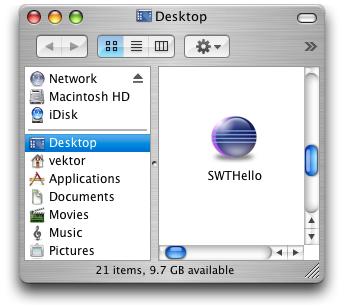
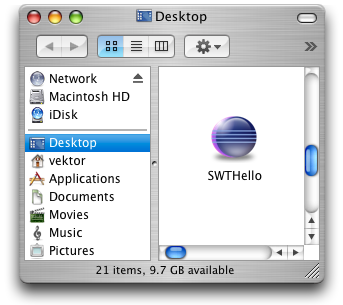
ما هو نوع ال look and feel الذي يجعل الواجهة بهذا الشكل

post-244609-012862600 1339330433_thumb.p

المرفقات
downloaded.png

تم تعديل هذه المشاركة بواسطة محمد1991 في 10 يونيو 2012 في 15:15

#17
محمد1991 كتب:

ما هو نوع ال look and feel الذي يجعل الواجهة بهذا الشكل

هل اشتغلت معك الطريقة التى ذكرتها لك ام لا ؟؟

بالنسبه للـ LookAndFeel اعتقد ان هذا صوره لنافذة نظام تشغيل Mac

لو دققت النظر فى الصورة لوجدت

Macintosh HD

لو كان نظام التشغيل لديك يأخذ اى شكل فيمكنك ان تجعل برنامجك يأخذ هذا الشكل عن طريق

            UIManager.setLookAndFeel(UIManager.getSystemLookAndFeelClassName());

لكن هناك مكتبات تدعم مجموعه اخرى من الاشكال يمكنك مشاهده هذا الموضوع

http://www.arabteam2...howtopic=227557

واعتقد ان الشكل الذى يقدمه الاستايل

AluminiumLookAndFeel هو ما يقارب الشكل الذى فالصوره

بالتوفيق ان شاء الله

تم تعديل هذه المشاركة بواسطة Mahmoud Kelany في 10 يونيو 2012 في 20:21

Software Developer
Mahmoudkelany.com


مواضيع مشابهة